PaperclipBar
Paperclip in your Mac's menu bar — what needs you, what your agents are running, and your servers, one click away. Free for macOS.
To find out whether anything needs you, you open the Paperclip board and look — and to start or stop Paperclip or a local model, you go back to Terminal.
The count of items waiting on you sits in the menu bar. One click shows what needs you, what each agent is running, and whether your servers are up — with Start and Stop right there.
Your Paperclip board, at a glance.
What needs you
Approvals, agents in error, blocked tasks and tasks in review, in that order. Click one to open it.
Active runs
What each agent is working on right now, longest first, with long-running runs flagged.
Board and metrics
The Paperclip board in its own window, plus metrics by agent, model and project with CSV export.
Notifications
Each new blocked task, review, approval or agent error notifies once. Click it to jump straight there.
Start and stop servers
Paperclip and the local model servers you add, with your own scripts. Every start and stop asks first.
Talk
Hold a shortcut, say the task, check it, and create it in Paperclip. The transcript is never written to disk.
Download PaperclipBar
Version 0.1.0 · free · 2 MB. Every version, with release notes, is on the GitHub releases page.
A Mac with Apple silicon and macOS 14 or later (Talk needs macOS 26). Paperclip running on the same Mac, and a Paperclip board API key.
Unzip it and move PaperclipBar to Applications. PaperclipBar is not notarized by Apple, so the first time, approve it in System Settings › Privacy & Security › Open Anyway. Then paste your API key in Settings › Access.
SHA-256 of PaperclipBar.zip 0.1.0: d634388050d1bf9c4c5636b405a1b75c13381bc08c42feb863cd95878c7d79c9
A closer look
PaperclipBar on a working Paperclip board. Task titles, names and figures are blurred.
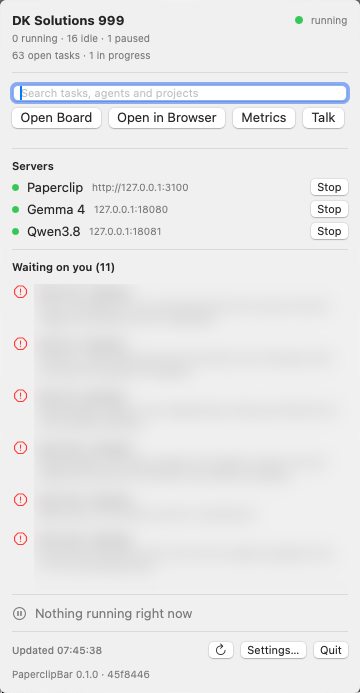
The panel — status, search, servers, and what's waiting on you.
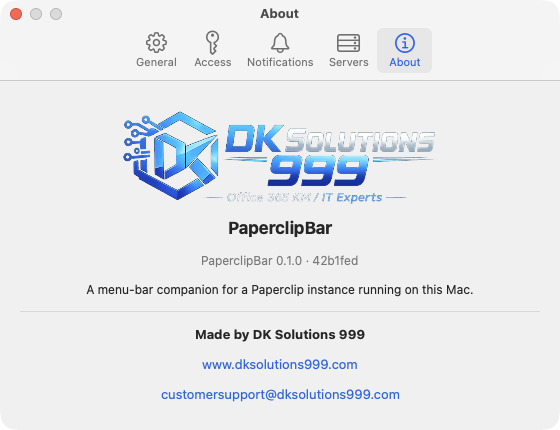
Settings — five tabs, including About.
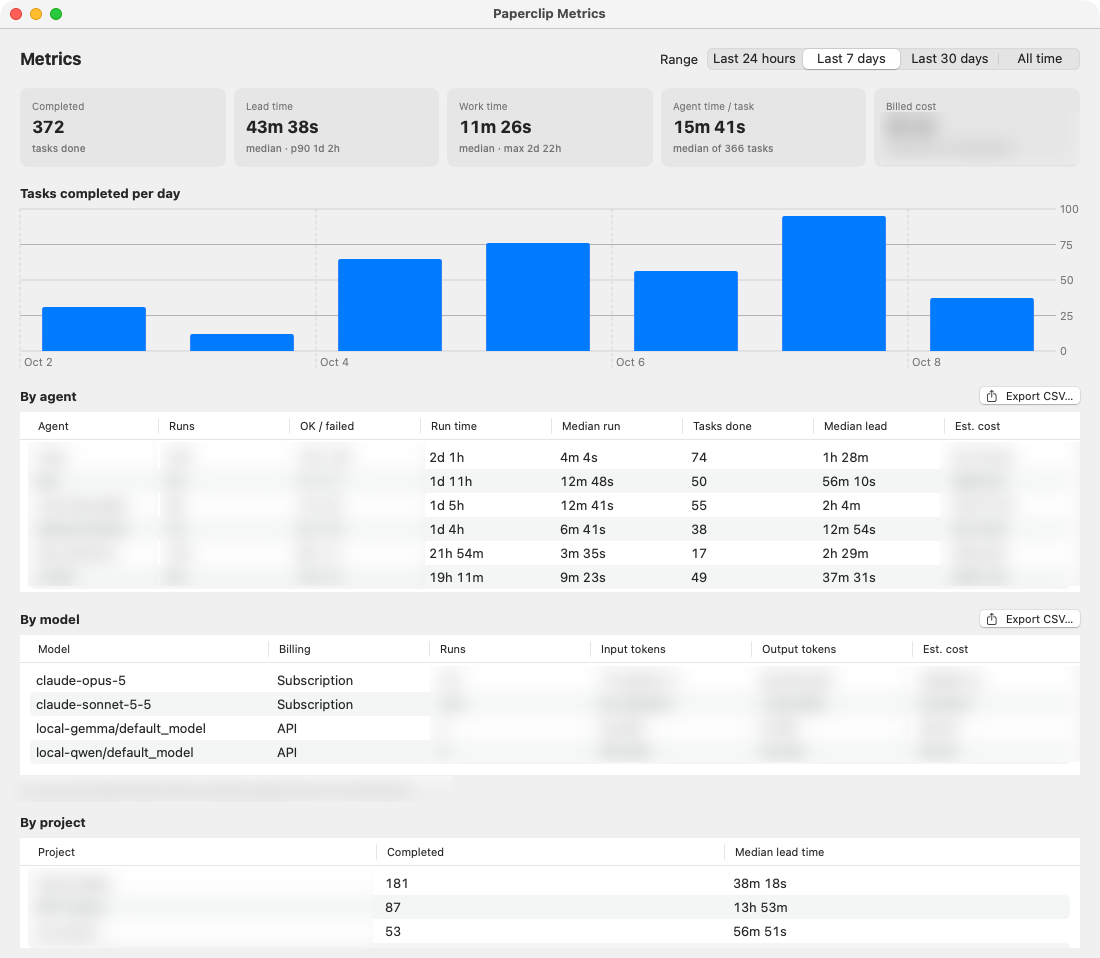
The metrics window — throughput, lead time, and breakdowns by agent, model and project.
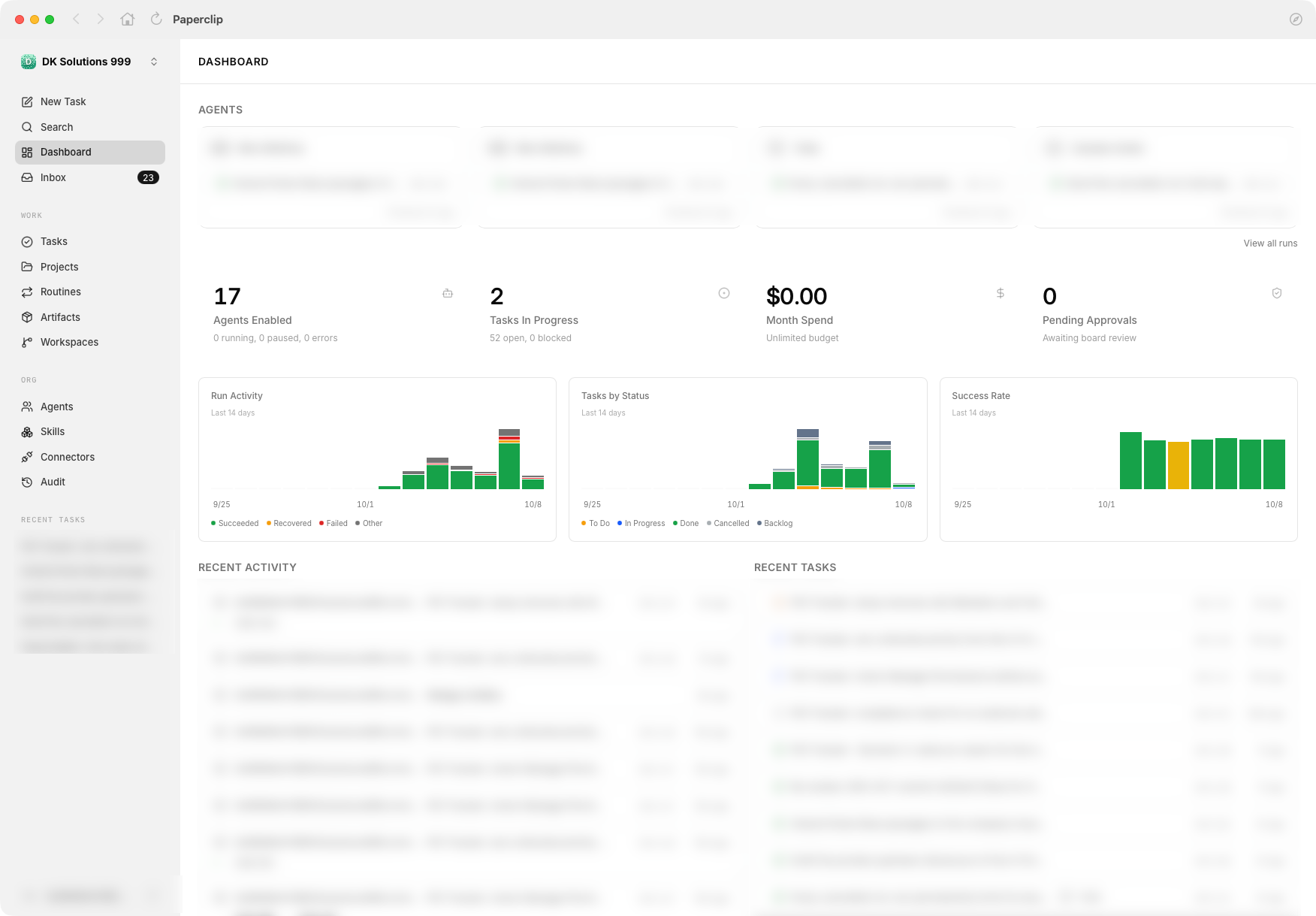
The board window — Paperclip itself, in a native window.
PaperclipBar, answered.
What is PaperclipBar?
PaperclipBar is a free macOS menu-bar app for a Paperclip instance running on the same Mac. The menu bar shows how many items are waiting on you, and one click opens a panel with what needs your attention, what each agent is running, and Start and Stop for Paperclip and your local model servers. It also opens the Paperclip board in its own window, shows metrics, sends notifications for new items, and lets you dictate a new task.
Is PaperclipBar free?
Yes. PaperclipBar is a free download, with no licence key, under the DK Solutions 999 Terms of Use.
Does PaperclipBar send any data off my Mac?
No. PaperclipBar connects only to Paperclip and to model servers on your own Mac (127.0.0.1), and it contains no analytics. Your Paperclip API key is stored in your login Keychain, and a dictated task's transcript is never written to disk.
Why does macOS warn me the first time I open PaperclipBar?
PaperclipBar is not notarized by Apple, so macOS asks you to approve it once. Open System Settings › Privacy & Security, scroll to Security, and click Open Anyway next to PaperclipBar.
Which Macs does PaperclipBar run on?
Macs with Apple silicon running macOS 14 Sonoma or later. Dictating a task with Talk needs macOS 26 or later. PaperclipBar does not run on Intel Macs.
Do I need Paperclip to use PaperclipBar?
Yes. PaperclipBar is a companion to Paperclip. It needs a Paperclip instance running on the same Mac and a Paperclip board API key — the user manual shows how to create one.
Built by Darrin Kay, founder of DK Solutions 999 — a SharePoint/M365 engineer and former U.S. Army knowledge manager. Questions? customersupport@dksolutions999.com.
Put Paperclip in your menu bar.
Free for Macs with Apple silicon, macOS 14 or later.